Element documentation
Use documentation to explain an element’s purpose and modeling intent. The explanation remains attached to the part, behavior, requirement, or other element it describes.
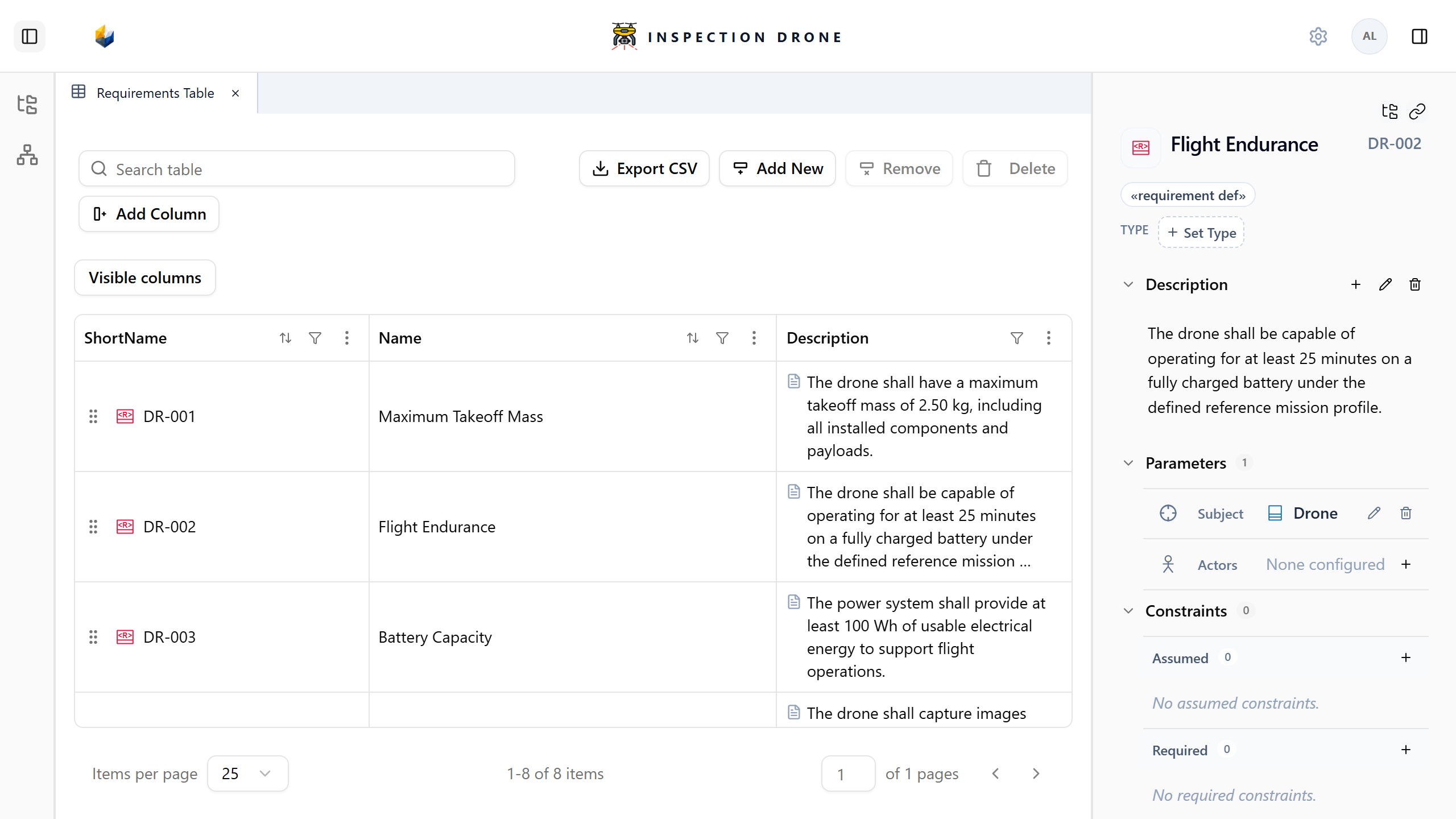
Add a description
- Select an element in the Model Browser or a view.
- Expand Description in its inspector.
- Choose Add documentation.
- Write the explanation and finish using the editor’s checkmark.
Check: select the element again. Its saved description appears in the inspector.
Describe the element’s purpose, responsibilities, assumptions, or acceptance criteria as appropriate. A requirement’s description can state a measurable target; recording that text does not prove the target is met.
Edit and format
Choose Edit documentation beside an existing block, then confirm the edit when finished. Delete documentation removes the block while retaining the element.
Use the toolbar for emphasis, lists, and links. Use meaningful link text and element references where readers need to navigate to related model content.
If documentation controls are missing, check that you selected the model element and that it is editable.
A written condition does not automatically become an executable constraint. See Requirements for subjects, constraints, and satisfaction relationships.