
Definition and usage
A definition describes a reusable kind of element. A usage describes a role in a particular context. Assigning a definition lets a compatible usage use the properties declared by that definition.
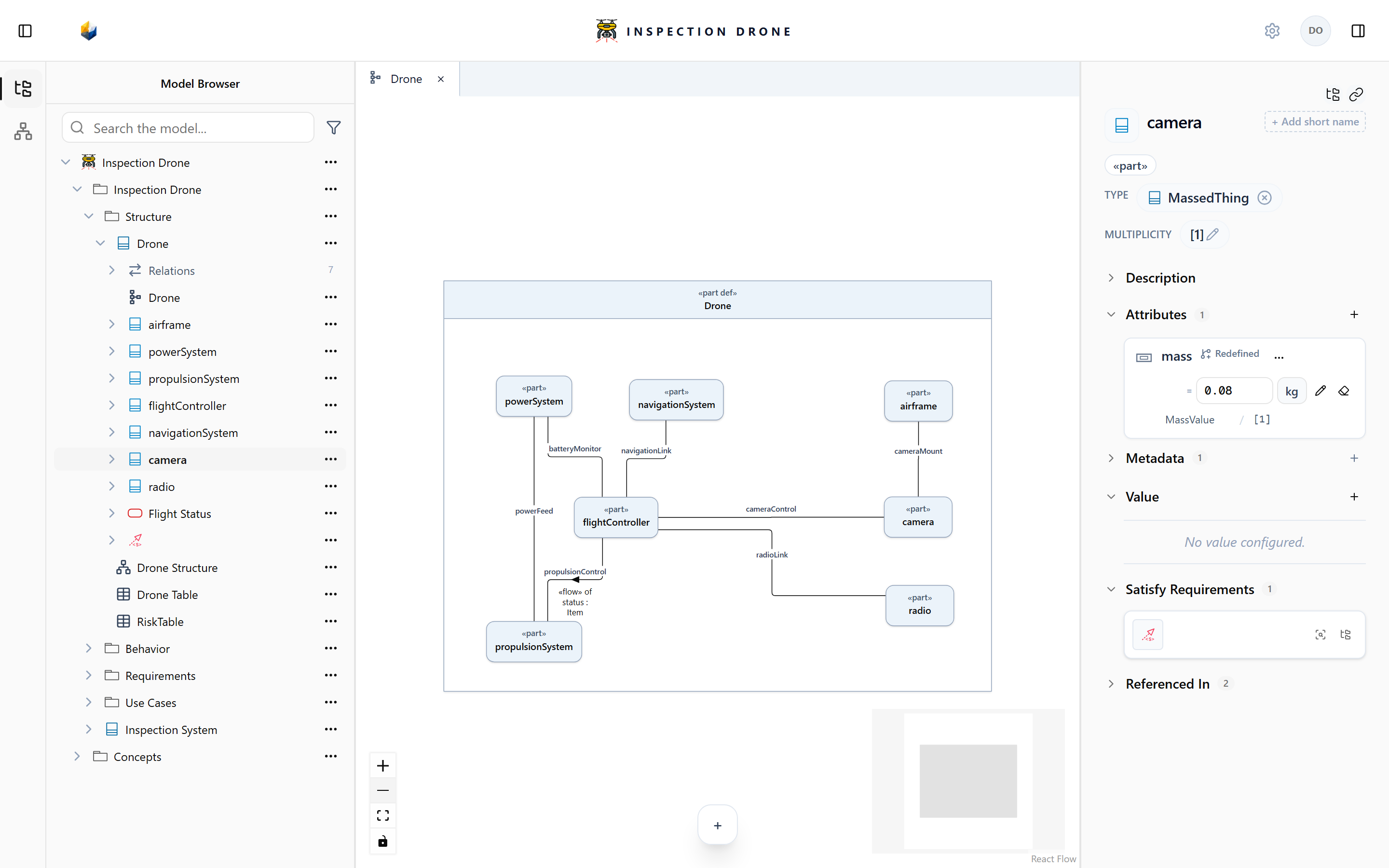
Find the definition and usage
Select a usage in your Model Browser and inspect its definition assignment. Locate the referenced definition to review the properties it declares. The definition and usage can have different names and owners.
Prepare the shared definition
- Choose a package for reusable model content.
- Open its actions menu and choose Create Element → part def.
- Enter a name describing the reusable kind and press Enter.
- Select the new definition and add any shared properties using Create attribute in Attributes.
Choose a compatible type for each attribute. For example, an attribute recording mass can use MassValue from the available quantity library. See Attributes and enumerations.
Check: the definition appears in the package and lists the properties you created.
Assign a definition
- Select an untyped part usage in the Model Browser.
- Choose Set Definition in its inspector.
- Search for the part definition you want to reuse and select the matching result.
Check: the usage’s inspector shows the assigned definition. Check the result’s kind and owner when several names match.
For an already typed usage, review the current assignment before changing it. The removal control removes the assignment while retaining the definition.
If the definition is unavailable in the picker, confirm that you created a compatible definition kind, rather than another usage. Naming a usage after a definition does not establish this assignment.
Keep other properties separate
Multiplicity records how many instances a usage represents. Definition assignment records the reusable kind it uses. Set each property according to the model’s intent.
The same distinction applies to other supported definition and usage kinds. The selected definition must be compatible with the usage.
Continue with Parts or Attributes and enumerations.

